
AI Agents for
Workday Implementation.
Design, configure, and test Workday HCM, Financials, and Adaptive Planning rollouts with 100+ AI agents - cutting implementation time, cost, and risk in half.
 ★★★★★ 4.8 on G2 (97 reviews)


Workday implementations are still slow, expensive, and fragile.
Design, configuration, and testing eat 12-18 months and consume your best people. Most enterprise app rollouts overshoot budget and timeline before they ever deploy. Here's what that looks like.
Most enterprise app rollouts miss the mark
68% of enterprise application implementations fail to hit their original objectives. Manual SOWs, endless requirements workshops, and copy-paste configuration leave too much room for drift between design and deployment.
Budgets blow past plan, every time
The average Workday implementation runs 189% over budget. Senior consultants stretched across requirements, design, configuration, and test cycles - billed by the hour, with rework baked in.
Timelines stretch from quarters to years
Workday HCM, Financials, and Adaptive Planning rollouts routinely take 12-18 months across design, configuration, and testing. Every delay pushes value realization further out, and every quarterly release cycle restarts the regression clock.
One platform. 100+ AI agents. Every phase of your Workday program.
Opkey Design Studio runs the full Workday implementation lifecycle - design, configuration, and testing - through 100+ purpose-built AI agents. Compress 18-month rollouts to 9-12. Cut design and testing effort 20-50%. Standardize delivery across HCM, Financials, and Adaptive Planning.
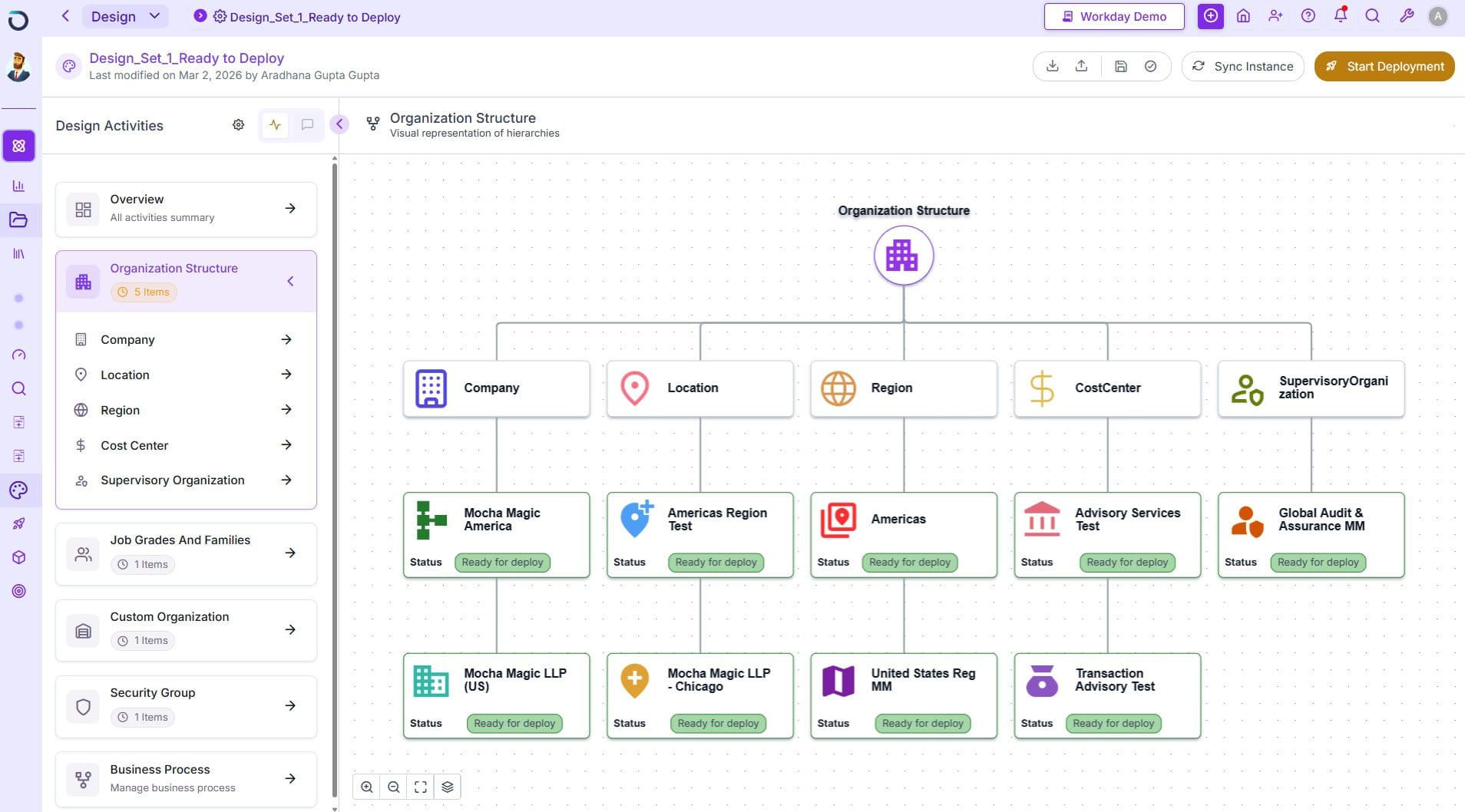
Design - turn requirements into Workday blueprints in days, not months
SOWs, process maps, and design docs lock in scope before configuration even starts. AI agents accelerate every step.
- AI agents draft SOWs, process flows, and Workday module designs from your inputs
- Pre-built reference architectures across HCM, Financials, and Adaptive Planning
- 20% reduction in upfront discovery and design effort with AI-driven questionnaires, meeting-ingest, and auto-generated designs
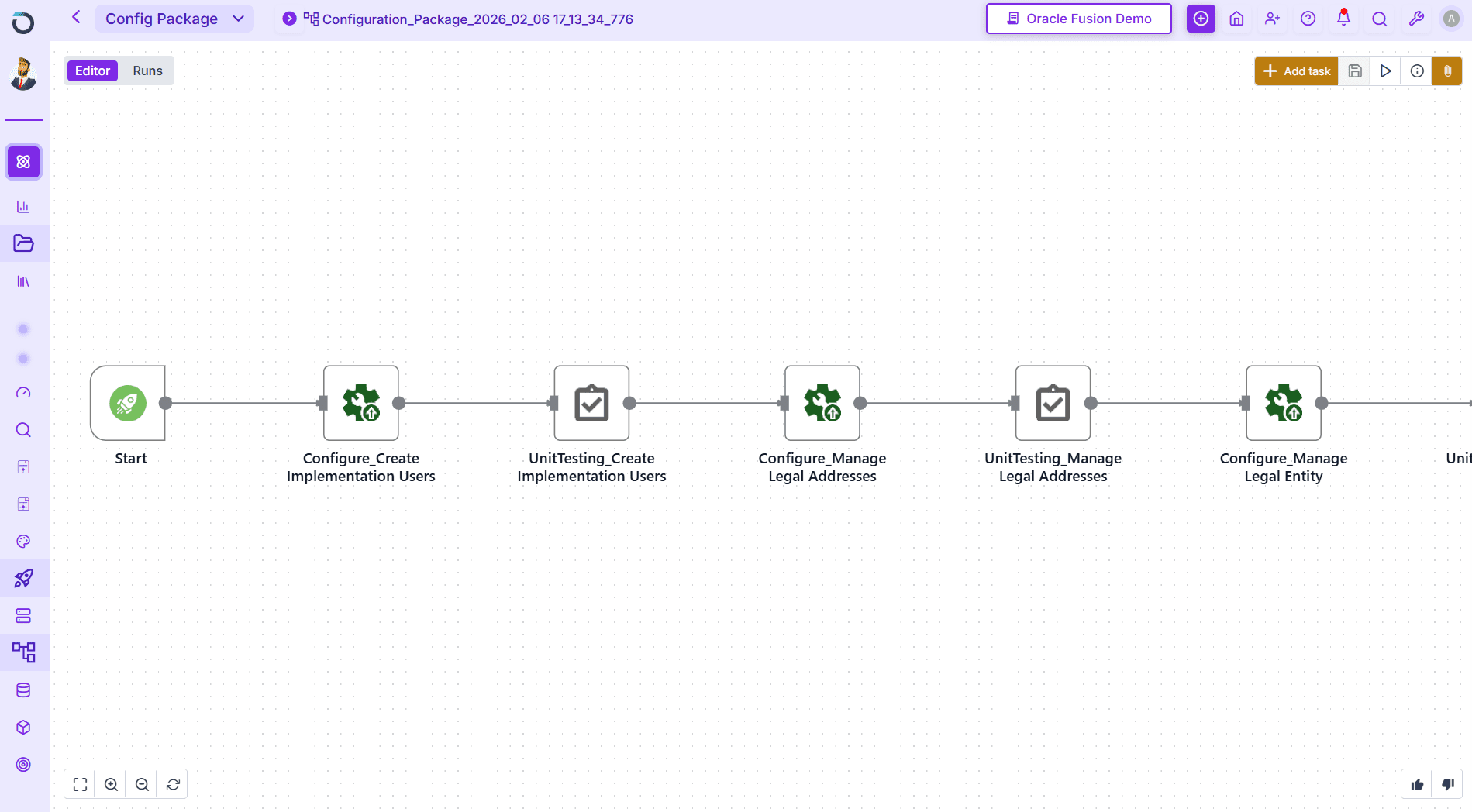
Configure - Workday setups built and maintained by AI agents
Manual configuration drifts the moment a process changes. Opkey keeps it accurate end to end.
- Agents apply configurations across HCM, Financials, Payroll, and Adaptive Planning
- Detect configuration drift across environments instantly
- Describe new processes in plain English or design visually - AI generates configuration workbooks, ready to deploy
Test - 4,000+ pre-built Workday tests, self-healing through every release
Every Workday R1/R2 release restarts the regression clock. Opkey absorbs that work so implementation and BAU stay on schedule.
- 4,000+ pre-built Workday test cases across HCM, Payroll, Benefits, and Financials
- Self-healing engine adapts to weekly Workday updates and bi-annual releases - zero maintenance
- Pre-payroll validation catches calculation errors before every pay period
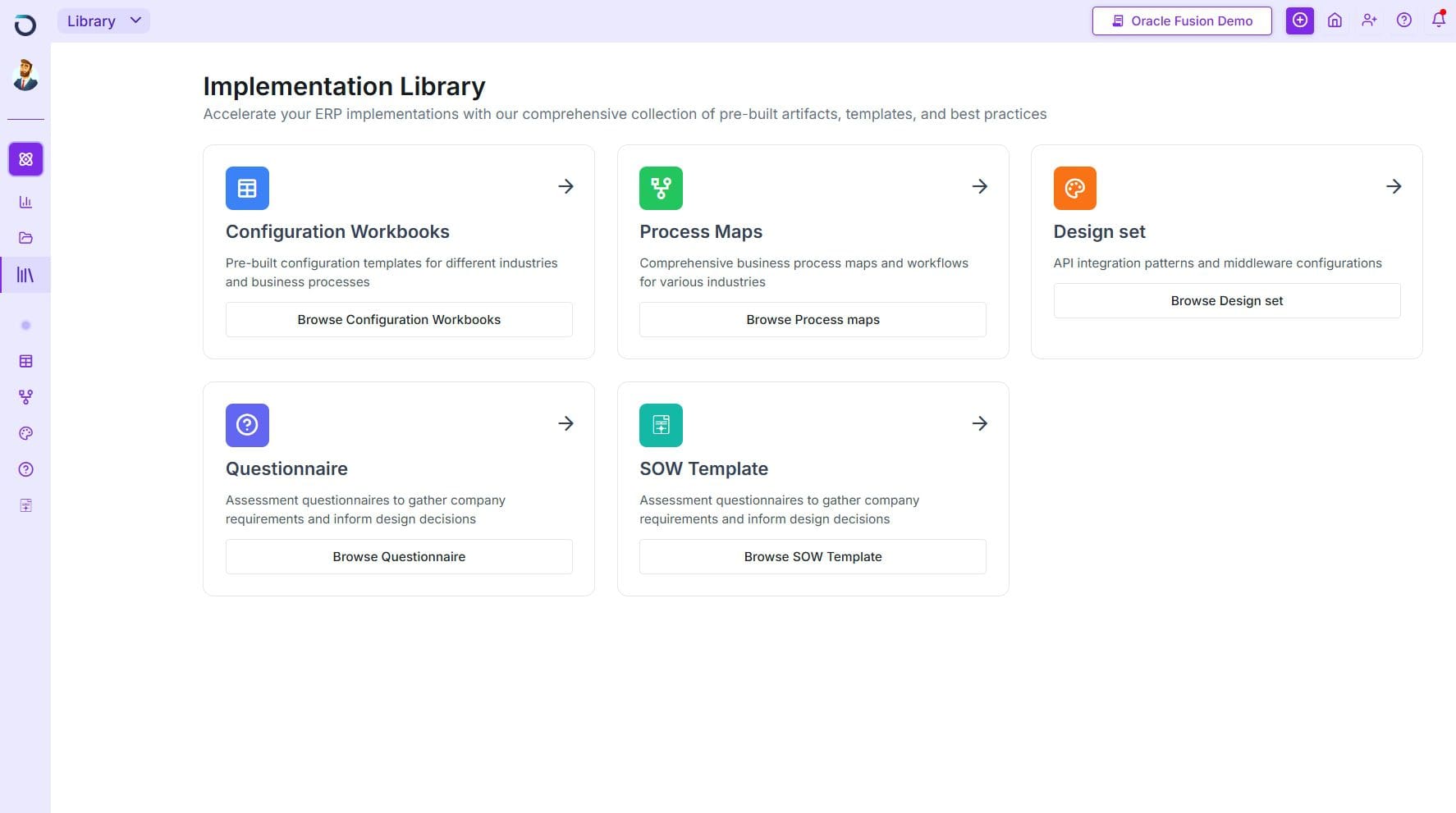
Design Studio for Every Workday Team
Whether you're delivering Workday implementations as a system integrator or running your own Workday program in-house, Design Studio adapts to your workflow.
For Systems Integrators
Turn your firm's decades of methodology into an AI-powered competitive advantage. Win more Workday deals, deliver faster, and scale revenue - without the rework, senior-talent overuse, and commercial risk of manual implementation.
- Private AI trained on your proprietary Workday templates & accelerators
- Automate 70% of repetitive Workday implementation work
- Reduce Workday project timelines by a third
- Deliver managed services with fewer resources
For Enterprise Teams
Take control of your Workday operations. From implementation and configuration to quarterly updates and ongoing testing - run Workday HCM, Financials, and Adaptive Planning with confidence.
- Automate regression testing for every Workday R1/R2 update
- Detect Workday configuration drift across environments instantly
- Auto-generate training guides from live Workday system state
- Proactive change management with impact analysis
From Discovery to Workday Deployment.
Design Studio guides your team through every step of a Workday implementation — automatically.
Upload your Workday templates, accelerators, and playbooks — AI learns your methodology in a secure, private environment.
Upload a customer RFP — AI generates a complete Statement of Work with scope, phases, timelines, and resource estimates for the Workday program.
Industry-aware questionnaires anticipate Workday requirements, research the client's environment, and identify configuration gaps before design begins.
Auto-generate solution architectures, process blueprints, security models, and Workday configuration specs on a visual canvas.
Translate validated designs into live Workday configurations, auto-generate and execute tests, and create training materials in one motion.
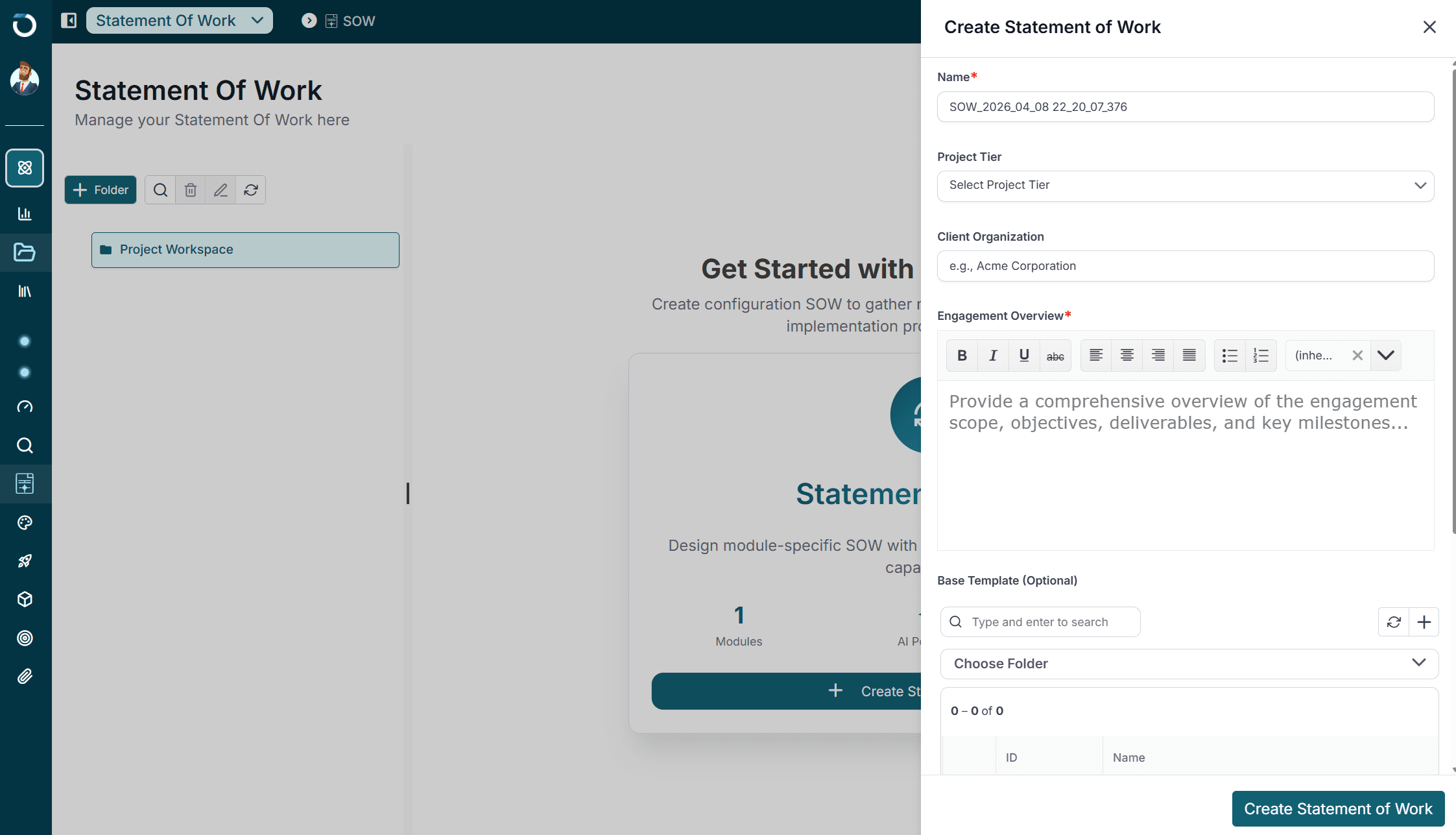
What Your Team Gets
Implementation-ready Workday deliverables, not just documentation.
Enterprise Workday teams trust Opkey
"Opkey turned Workday bi-annual releases from a 6-week fire drill into a 3-day routine. We now adopt new features on day one instead of months later."
"We can't afford payroll errors with 40,000+ employees across 12 countries. Opkey's pre-payroll validation gives us total confidence every pay period."
"Open enrollment used to generate hundreds of HR tickets. With Opkey's auto-generated guides, employees self-serve and tickets dropped 80%."
The #1 Rated Test Automation Platform for Workday
"The level of coverage and speed you can automate is far beyond anything we have seen before. Opkey helped us dramatically reduce risk and speed up Workday testing cycles, all at a lower program cost."
FAQs
How fast can Design Studio cut our Workday implementation timeline?
Most enterprise Workday programs see measurable acceleration within the first 3 weeks of activation. Design Studio replaces manual SOWs, configuration sprints, and regression cycles with 100+ purpose-built AI agents, compressing implementation timelines and freeing senior consultants for higher-value work.
How is Opkey different from generic test automation tools?
Most test automation tools are built for web and mobile apps, then retrofitted to enterprise apps. Opkey is purpose-built for Workday from the ground up - no-code testing for functional leads, 4,000+ pre-built Workday test cases out of the box, and a self-healing engine tuned to Workday's weekly updates and bi-annual release cadence.
Does Design Studio cover Workday HCM, Financials, Payroll, and Adaptive Planning?
Yes - HCM, Financials, Payroll, and Adaptive Planning are all covered, with 4,000+ pre-built Workday test cases out of the box. Whether you're rolling out a single module or multi-module program, Design Studio auto-generates configuration workbooks, test cases, and training materials tailored to your scope.
Our team doesn't have dedicated QA resources. Is Opkey still viable?
Opkey is built to be operable without a QA specialist - functional leads run tests through a no-code interface. If you'd rather not manage R1/R2 release validation internally, the Managed Design Studio Delivery path lets Opkey's expert team run the full cycle end-to-end.
Can we try Opkey before committing?
Yes. Most enterprise evaluations start with a scoped pilot on your own Workday tenant - the team will agree the scope, success criteria, and test scripts with you on the demo call.
Watch AI agents run your Workday implementation, end to end.
A guided tour of your Workday program, running on Opkey Design Studio.
- Tailored to your Workday modules, rollout plan, and release cycle
- Walk through the AI agents and pre-built libraries that fit your environment
- Leave with a clear picture of where Design Studio compresses time, cost, and risk
★★★★★ 4.8 on G2 (97 reviews)